The word processor you know.
Without the license fee.
Beezifi Docs gives you a complete, familiar word processor in your browser: the ribbon, styles, real pages, track changes and Word files. It works on your laptop, tablet or phone, with your whole team editing together.
No credit card. Bring your existing .docx files.
- Opens and saves Word (.docx)
- Real-time collaboration
- Mac, Windows, Linux, iPad, Android, iPhone
- Saves automatically
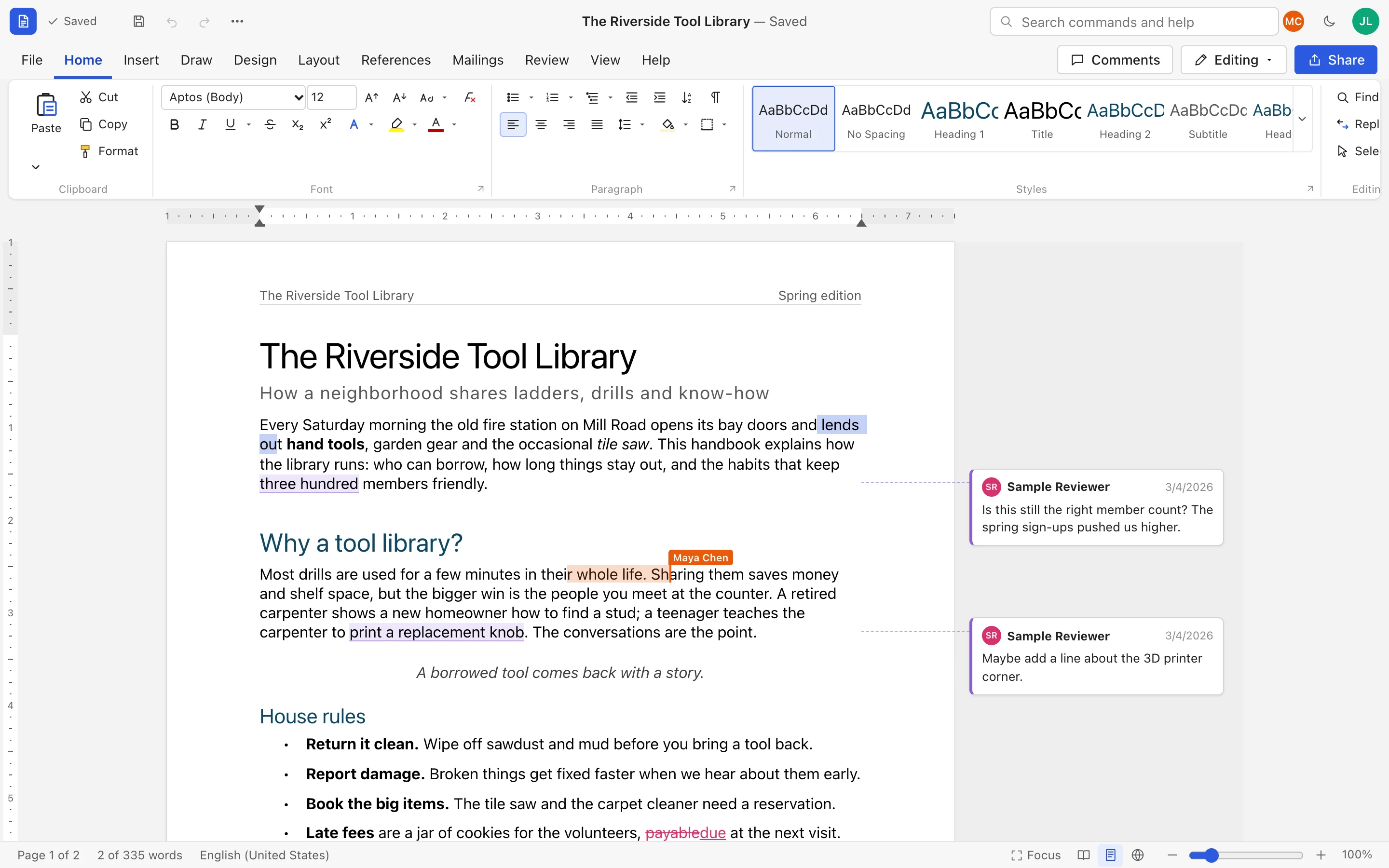
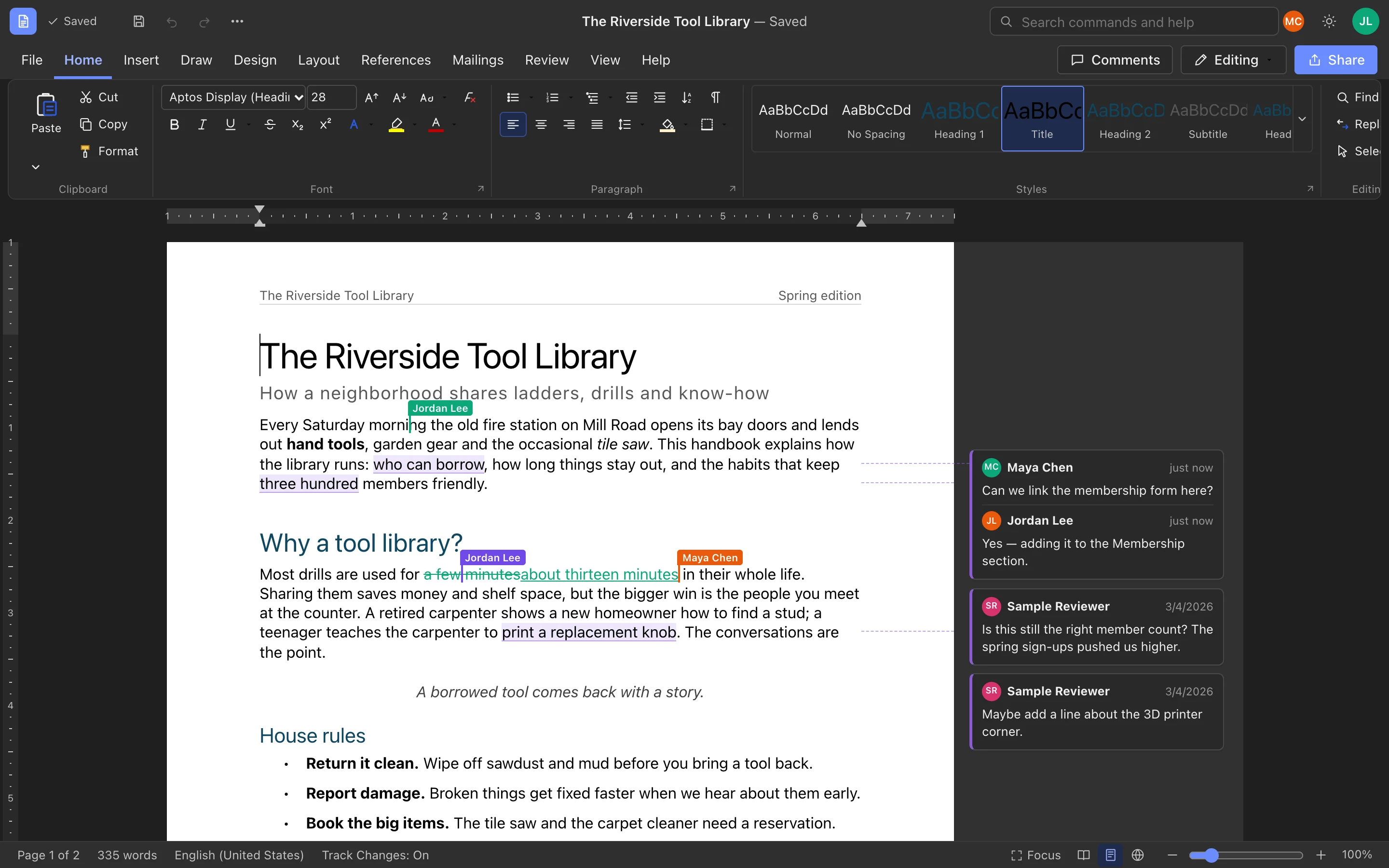
This is the actual app, not a mockup: Jordan is editing while Maya's cursor moves in the same paragraph.
Stop paying for licenses
Your team writes documents.
It shouldn't cost a license per person.
Desktop office software charges for every seat, every year, and then for every computer it has to be installed and updated on. Beezifi Docs runs in the browser you already have.
See what you could stop spending
Enter your own license or subscription cost. $100 is only a starting example.
-
No per-seat license
Add the whole team, interns and contractors without buying another seat. Create an account and start writing.
-
Nothing to install or update
No installers, no license keys, no IT tickets. Everyone is always on the latest version because it's a web page.
-
Keep your Word files
Open the .docx files you already have and download them again as .docx whenever you need to send one out.
-
Use the devices you already own
Old laptop, Chromebook, iPad or phone. If it has a modern browser, it runs Beezifi Docs.
Everything you expect
A real word processor,
not a stripped-down note app
The ribbon, the Styles gallery, rulers, page layout and keyboard shortcuts are where you expect them. There's nothing new to learn.
Review
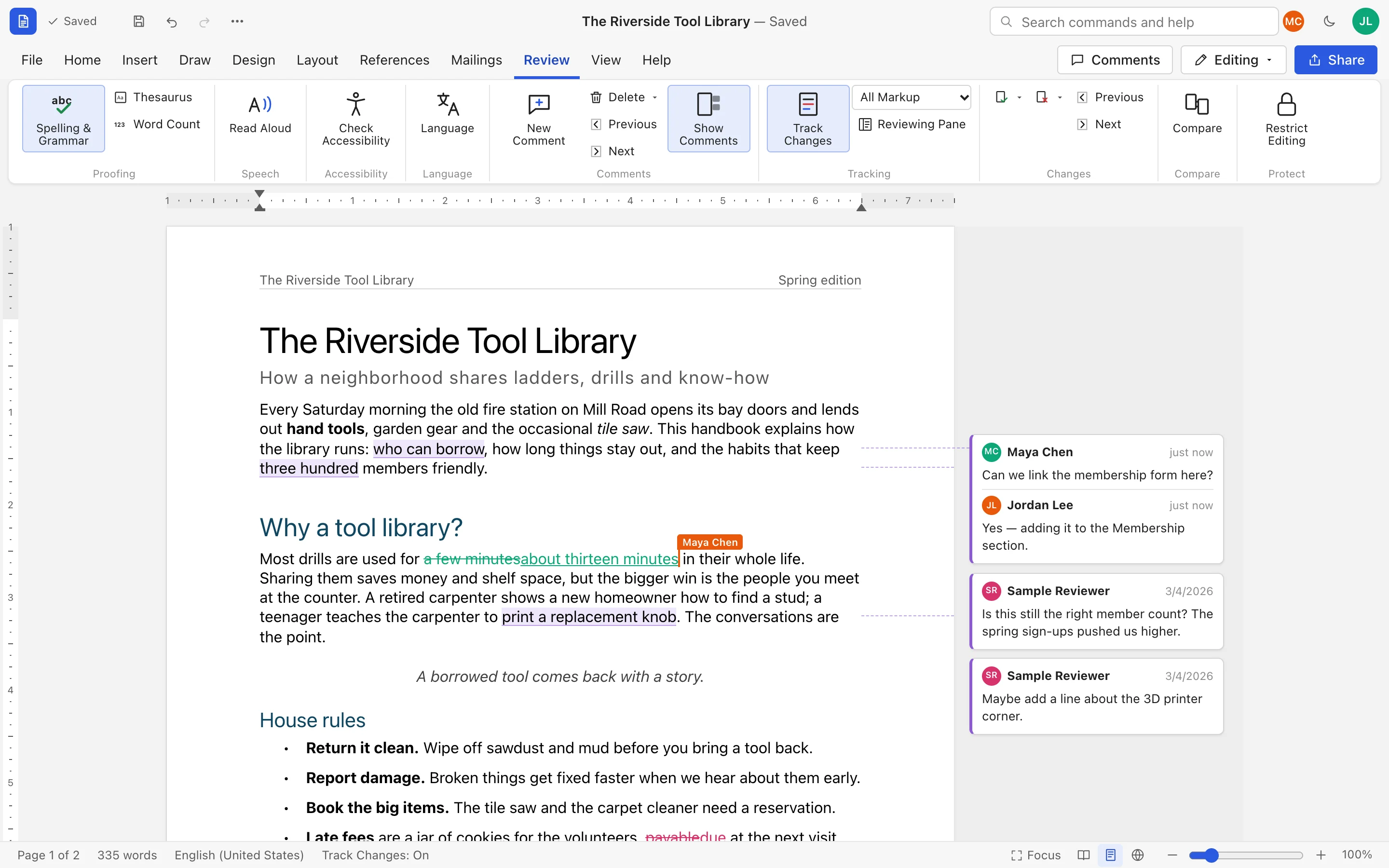
Track changes and comments your reviewers already understand
Suggest edits with Track Changes, discuss them in margin comments, and accept or reject each one. Every change shows who made it and when.
- All Markup, Simple Markup, No Markup and Original views
- Threaded replies, resolve and reopen
- Compare with any saved version, restrict editing
Long documents
Reports, theses and handbooks, with the references done for you
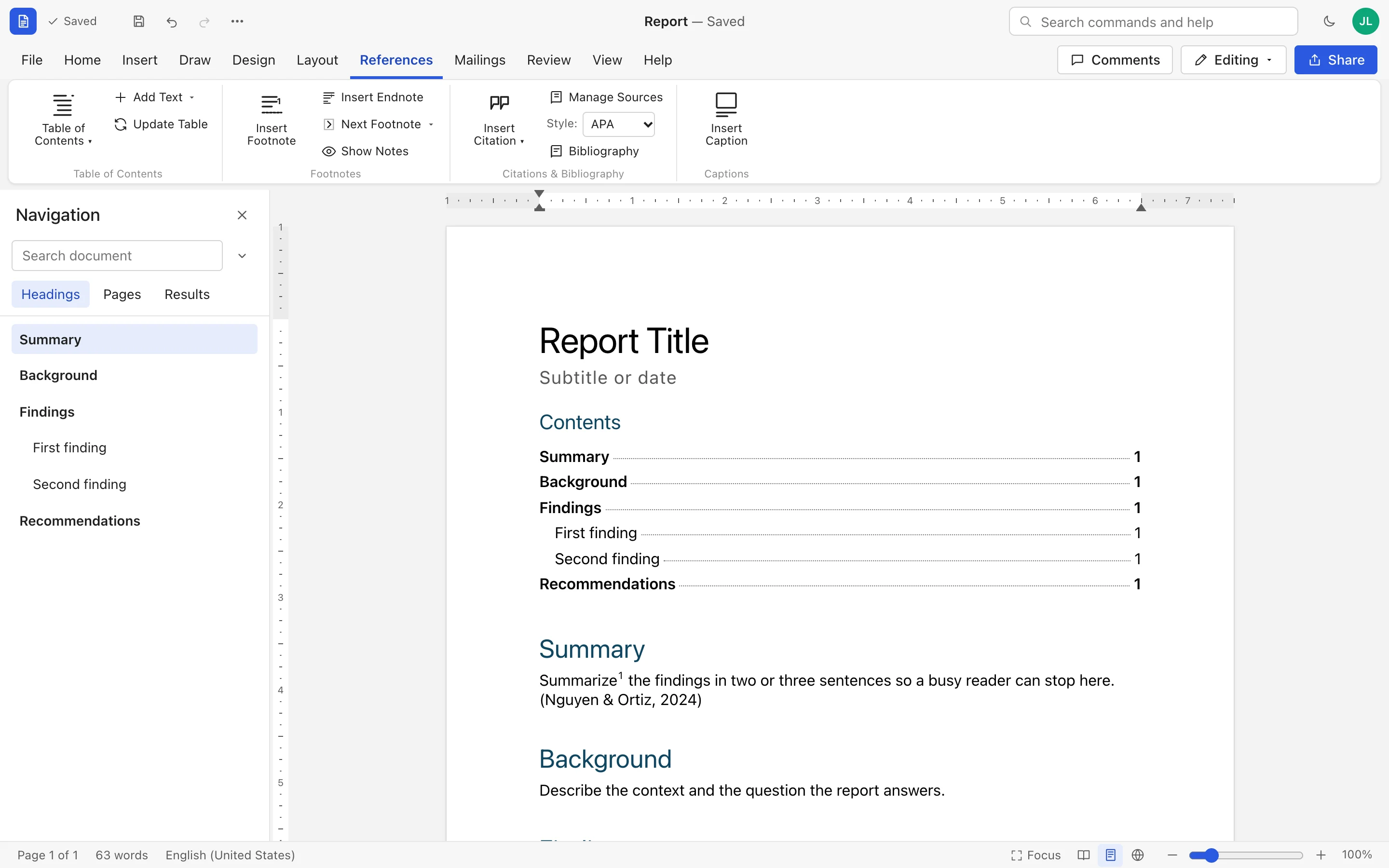
Build a table of contents from your headings, add footnotes and endnotes, and cite sources in APA, MLA, Chicago or IEEE with an automatic bibliography.
- Real pages with headers, footers and page numbers
- Navigation pane to jump between headings and pages
- Captions, tables, pictures and page breaks that stay where you put them
Design
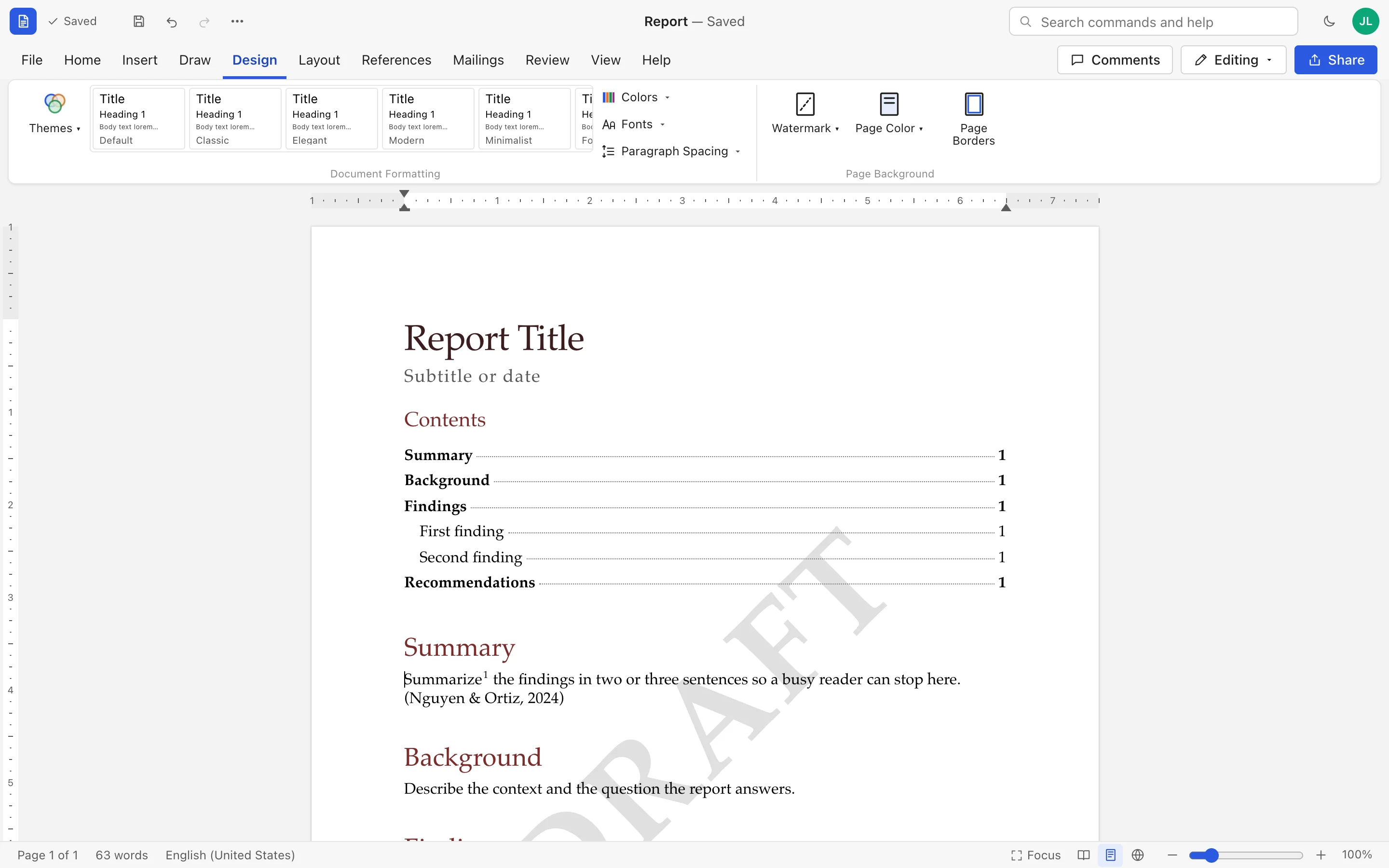
Look polished in one click
Switch the whole document's fonts and colors with a style set, add a watermark, page color or border, and set margins, orientation and paper size.
- Live Styles gallery: change a style and every heading follows
- Bullets, numbering, multilevel lists and drop caps
- Dark mode for late-night writing
Your files
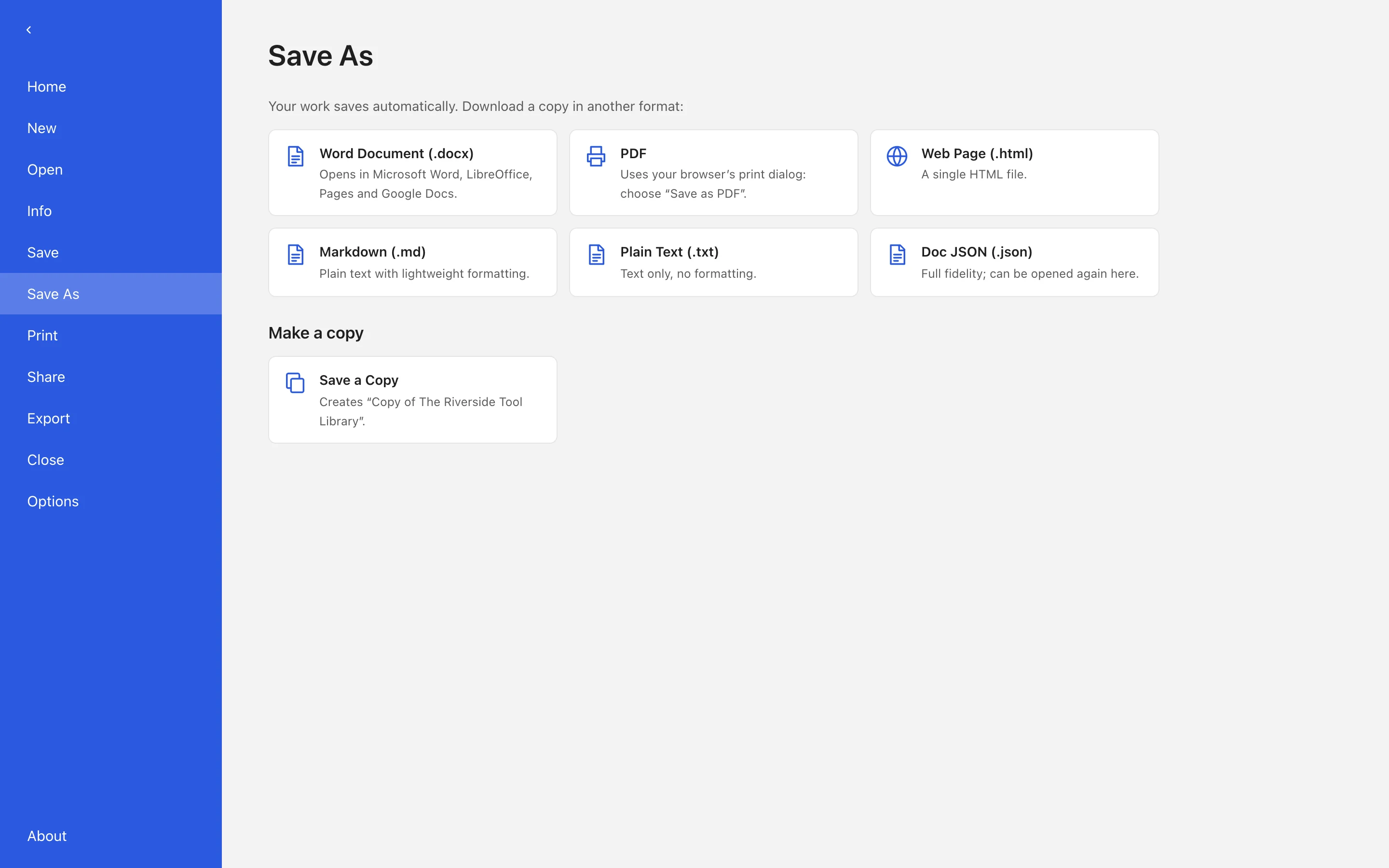
Bring your Word files. Take them anywhere.
Drag a .docx onto the start screen to open it. Download as Word, PDF, web page, Markdown or plain text whenever you need. Every document keeps a version history you can restore.
- Templates for letters, résumés and reports
- Mail merge from a spreadsheet (CSV) of recipients
- No lock-in: export everything, any time
Any device, on the go
Start on your laptop.
Finish on your phone.
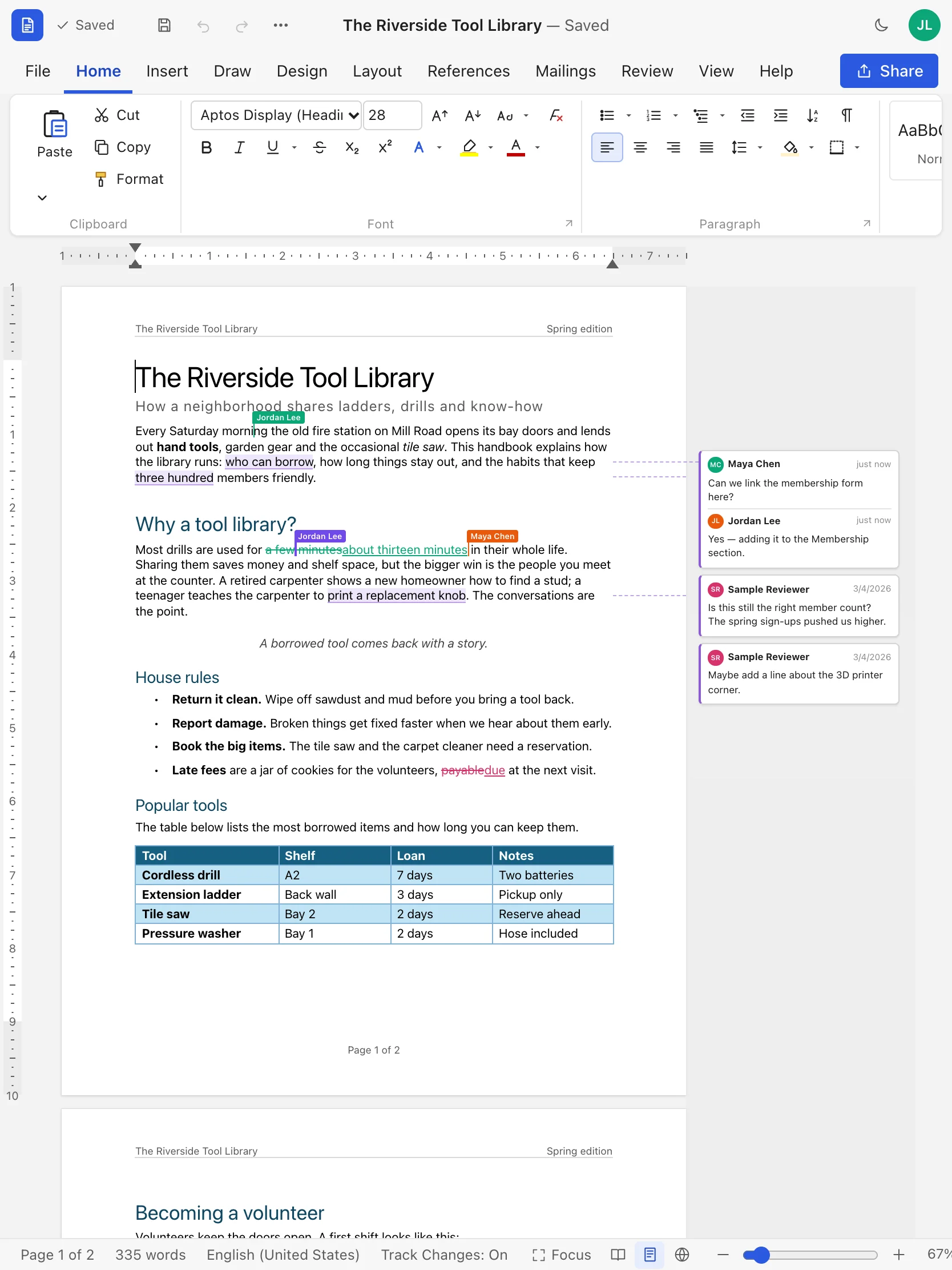
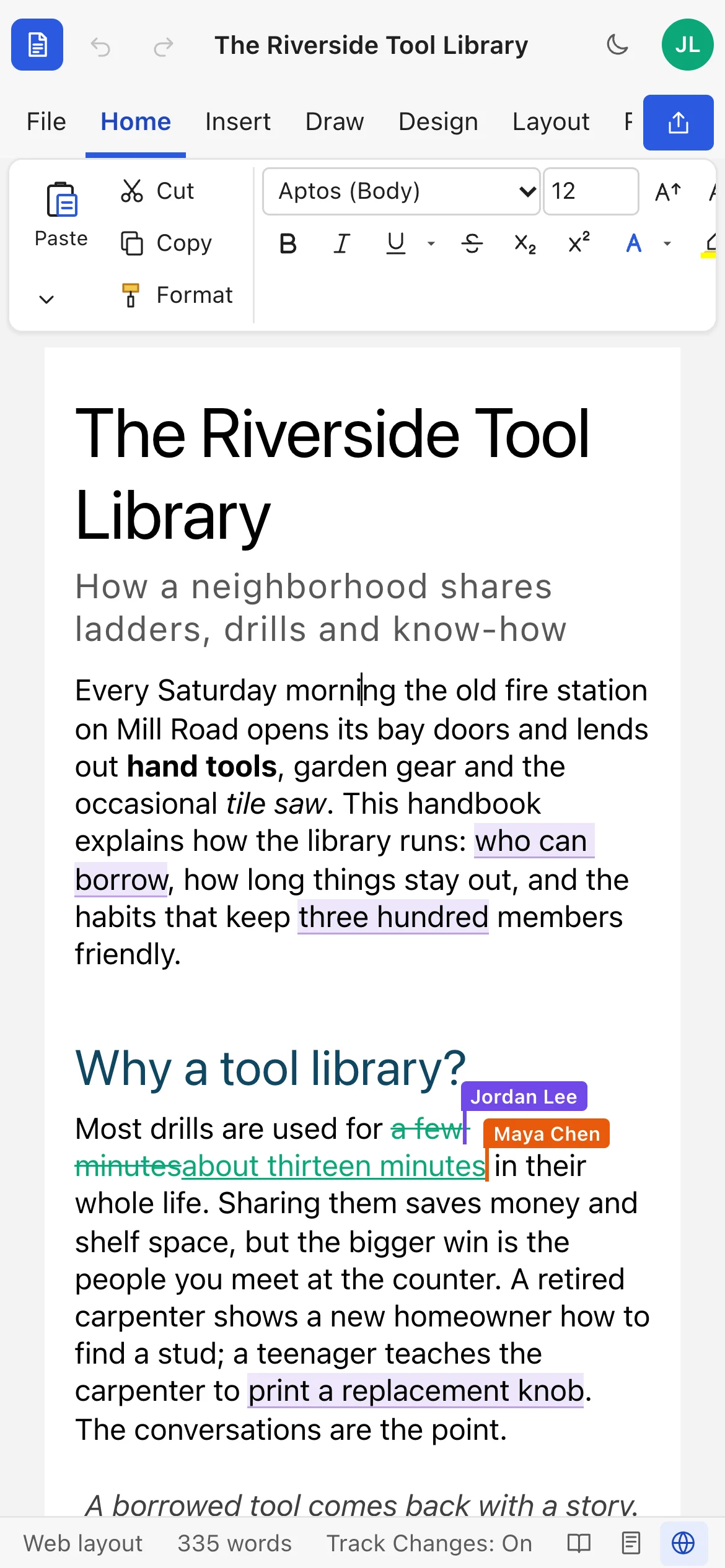
Your documents live in the cloud, not on one computer. Sign in from any browser and pick up exactly where you left off. On a phone, text reflows to fit the screen, and on a tablet the page zooms to fit.
- Windows
- macOS
- Linux
- ChromeOS
- iPad
- iPhone
- Android
- Chrome · Edge · Safari · Firefox
Saves as you type
There's no Save button to forget. Edits sync to the cloud within a moment, and the title bar tells you when they're saved.
Shaky connection? Keep typing.
If the connection drops, your edits are held and sent as soon as you're back online.
Dictate and listen
Talk instead of typing with Dictate, and have documents read back to you with Read Aloud, in browsers that support them.
Built for teams
One document. Everyone in it at once.
Stop emailing attachments named final_v3_REALLY_final.docx. Share a link, choose who can edit, comment or only view, and watch changes appear as people type.
See collaborators' names and cursors as they work, with every change merged in order.
Give each person view, comment or edit access, and change it anytime.
Automatic snapshots plus versions you name. Preview and restore any of them.
Fonts, sizes, colors, highlight, six underline styles, small caps, sub/superscript and Format Painter.
Alignment, indents on the ruler, line and paragraph spacing, borders, shading and keep-with-next.
Insert from a grid, merge and split cells, styled tables with banded rows, and header rows.
Upload, paste or drag images in. Resize, wrap text around them, add alt text and adjust brightness.
Whole words, match case and regular expressions, with every match highlighted.
Spelling as you type, a word count, a thesaurus, and an accessibility checker.
Merge fields, address blocks, greeting lines, envelopes and label sheets.
Mark up pages with a pen or highlighter, right on the document.
Connect Claude and other MCP assistants to draft, edit and comment on your documents, with a token you can revoke. Every AI edit is labeled.
Side by side
Why teams are switching
| What matters | Licensed desktop word processor | Beezifi Docs |
|---|---|---|
| Cost | Paid per person, every year | Free to get started |
| Setup | Install and update on every computer | Open a web page and sign in |
| Devices | Tied to the machines it's installed on | Any device with a modern browser |
| Working together | Email attachments and merge copies by hand | One live document, edited together |
| Saving | Remember to save, and to back it up | Saves automatically, with version history |
| Word files | Native .docx | Opens and saves .docx |
| Track changes and comments | Yes | Yes, and they appear live for everyone |
Your work stays yours
Private by default
We make money from the product, not from your data. Read exactly what we collect in our Privacy Policy.
You control access
Only you and the people you share with can open a document. You can restrict editing to comments only, or make it read-only.
Protected accounts
Passwords are stored only as salted bcrypt hashes. Sign-in attempts are rate limited, and every request is checked against your access.
No ads, no training
We don't sell your data, show ads, or use your documents to train AI models.
Leave anytime
Export any document as .docx, PDF, HTML, Markdown or text. Deleted documents are permanently removed after 30 days.
Questions
Frequently asked questions
Is Beezifi Docs really free?
Yes. You can create an account and use Beezifi Docs without paying or entering a card. If we introduce paid plans for extra capacity or business features, we'll tell you at least 30 days in advance, and you'll never be charged unless you choose a paid plan.
Will my Word documents look the same?
Beezifi Docs opens and saves .docx files with styles, lists, tables, pictures, headers and footers, footnotes, comments and tracked changes. A few advanced Word features, such as multi-column sections, built-up equations and floating text boxes, are simplified when a file is opened, and we'll tell you when that happens. Keep your original file until you've checked the result.
Can I use it on my phone or tablet?
Yes. Beezifi Docs runs in the browser on iPhone, iPad and Android as well as on computers. On a phone, documents reflow to fit the screen; you can switch to Print Layout at any time to see the real pages.
Do I need to install anything?
No. Open the site in a modern browser (Chrome, Edge, Safari or Firefox) and sign in. Updates happen automatically.
What happens if my internet connection drops?
Keep typing. Edits you make while disconnected are held in the open tab and sent when the connection returns. You need a connection to open a document, so don't close the tab while you're offline.
Who can see my documents?
Only you and the people you share a document with. Each person gets view, comment or edit access, which you can change or remove at any time.
Can I get my documents out?
Always. Download any document as Word (.docx), PDF, HTML, Markdown, plain text or our full-fidelity JSON format.
Write your next document
without the license.
Create a free account in under a minute, open a Word file you already have, and share it with your team.